|
11-09-2017, 05:01 PM,
|
|
|
Steve

Legendary Member

|
Posts: 1,673
Threads: 139
Joined: Jan 2017
|
|
How do you post larger images?
How does one load larger images? All I seem to be able to do is add attachments (that cannot be bigger than 500k) which forum members can view by clicking on. If I want to post, say a larger newspaper article that anybody can read without being a forum, I have to email a copy of the image to Roger and he posts the image.
But I've seen people post images/photographs that are larger and readable. How is that done?
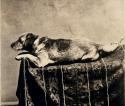
For example, in the thread linked below why is my image of Fido smaller than Darrell's images of Fido:
http://rogerjnorton.com/LincolnDiscussio...age-7.html
|
|
|
11-11-2017, 04:27 PM,
(This post was last modified: 11-11-2017, 04:28 PM by Steve.)
|
|
|
Steve
Legendary Member
|
Posts: 1,673
Threads: 139
Joined: Jan 2017
|
|
RE: How do you post larger images?
(11-09-2017, 07:38 PM)RJNorton Wrote: (11-09-2017, 07:26 PM)Steve Wrote: Is there some way where one can find out the specific url for an image while on the webpage?
Yes. It varies depending on what browser you are using. For example, in Internet Explorer simply right click on the photo, choose Properties, and you should see the photo's URL. You can then copy and paste it as needed. I believe for all web browsers the process of finding a photo's URL begins with right clicking on the photo itself. (I know this is also true for Firefox, but I do not know about Chrome.)
You can also see the URL for a photo by looking through the code for the web page that the photo is on. Okay. If you have Microsoft Edge (the replacement for Internet Explorer), right click the image and then press copy. You can then paste a copy of the url, although you won't be able to see the url until you hit paste.
|
|
|
|

 How do you post larger images?